

Paper vs. digital inspections

Digital inspections are an industry best practice, but the classic inspector’s clipboard still holds sway.

A photo of someone filling out a digital inspection form, illustrating the ease of using digital inspection software.

Paper inspections have their place. But as teams grow and processes become more complex, paper starts to pile up. Digital forms offer a faster way to use all of your inspection data. Here’s what facilities teams need to consider.

Why teams still use paper inspections

When we’re doing a demo of OrangeQC’s digital inspection tools, we always ask teams what their current process looks like. A significant number of them use paper forms.

Paper inspection forms are easy to make, simple to fill out, and cheap to get started with. Paper forms are probably the fastest way to actually do inspections so that you can refine your quality control process.

Where paper inspections fall short

The biggest drawback of paper inspections is that they tend to end up in a pile on someone’s desk… if they make it back to the office at all. And by the time someone manually enters all of the data into a spreadsheet, the problems have grown even bigger.


The drawbacks of paper inspections include:

  • Paper forms are easy to use but hard to process. Getting useful insights requires manual data entry.

  • There’s a delay between doing the inspection and receiving the data (if you ever do).

  • Inspectors sometimes pencil-whip inspections. There’s no visibility into when and where they filled out an inspection, which erodes trust with the custodial team, management, and the client.

  • It’s hard to include photos, which are helpful for documentation.

  • Clipboards don’t look as professional or tech-forward to clients.

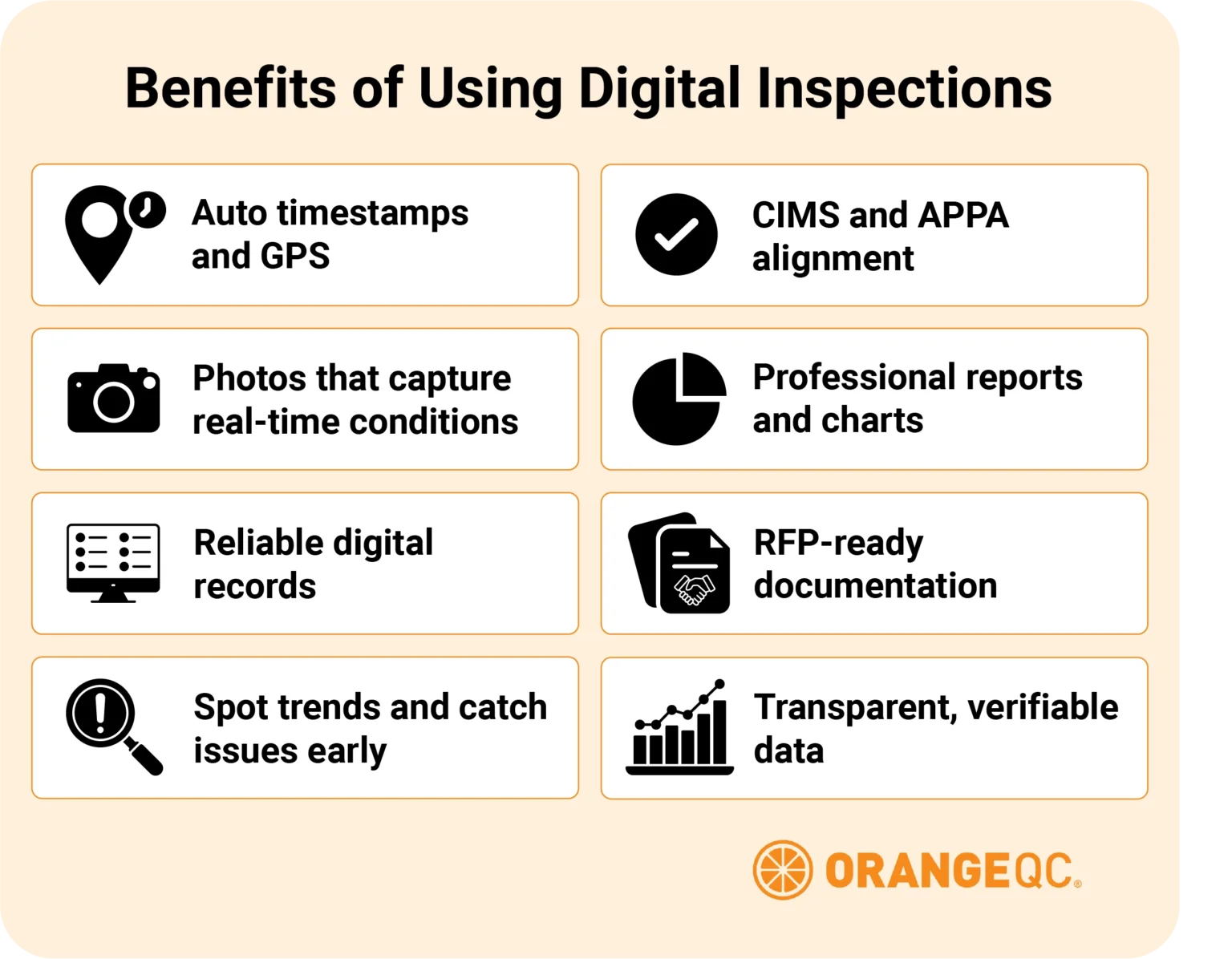
An illustration listing the benefits of switching to digital inspections with the full list referenced below.

The benefits of switching to digital inspections

Digital inspections offer a host of benefits over paper forms, and if you pick the right software, they can be just as easy to use.

The benefits of digital inspections include:

  • Timestamp and GPS data automatically included with each inspection.

  • Photos that clearly show the condition of a space at a specific time.

  • Trustworthy record-keeping that leaves a (digital) paper trail in case of problems or complaints.

  • Automatic data collection and analysis that makes it easy to see trends and catch problems early.

  • Adherence to an industry best practice, as outlined in guidelines such as the CIMS certification process and APPA’s custodial levels.

  • Professional charts and reports that showcase cleaning quality.

  • Ability to bid on requests for proposals (RFPs) that require digital inspection or validation.

  • Selling point for potential clients looking for transparency.

Types of digital inspection solutions

Moving away from paper is a good goal for most teams, but not all digital tools are created equally.

Too simple: Free or basic tools

The most basic digital inspection methods we see teams using are Excel or Google spreadsheets. Other free inspection tools include software bundled into an offer from a vendor or simple online forms.

While more comprehensive tools can’t beat the price on these options, teams tend to run into their limitations fairly quickly. They often require just as much work as paper forms, and you may not have full ownership of the data.

Too complex: Enterprise tools

Large organizations sometimes use expensive asset management tools to track everything from property to inventory to staff. These tools sometimes include an inspection module as well. These modules work well for some teams, but they can take a long time to set up and aren’t always in the facility team’s control.

Even if your organization uses a big enterprise software for other purposes, you may want a special-made tool for quality control.

(Often) just right: Paid quality control software

Just as with cleaning equipment, there’s a wide variety of quality among software tools. Look for easy-to-use software with strong developer support and responsive customer service. Be sure it has the features you need to run your process, such as tickets, checklists, and reporting.

How going digital boosts quality at Cary Academy

When Tai Davis took over as Director of Operations for Cary Academy, the team was using paper forms for a lot of their processes. Creating a regular, digital inspection process has improved accountability on the team.

“Folks know that they’re being held to a standard,” Davis told us. “It has definitely increased the level of clean around campus, and folks have noticed that.”

Moving away from paper has also simplified processes such as incident reporting. Before, staff had to leave the scene of an incident to pick up a report form; now, they can capture photos and fill out the form on their devices.

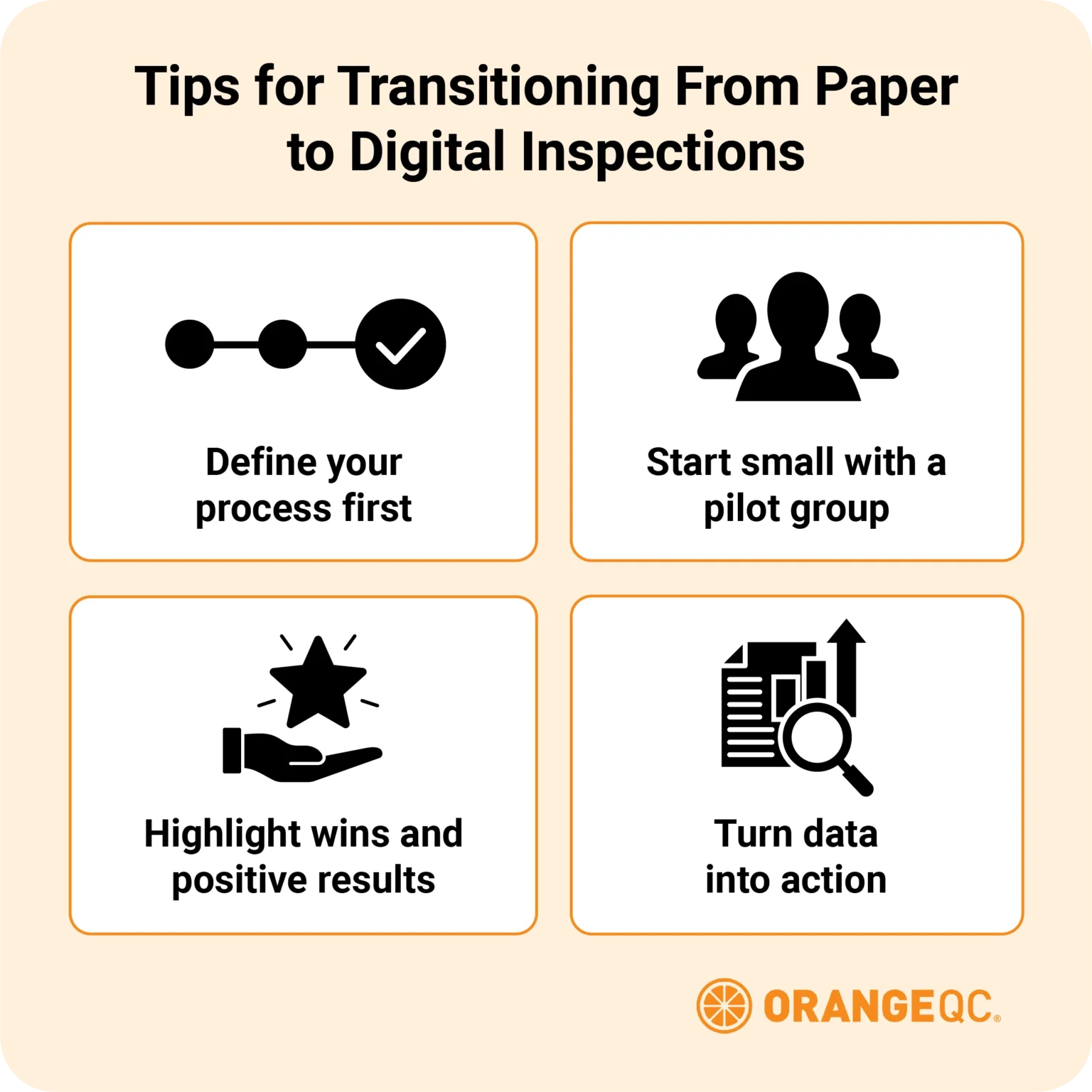
An illustration listing tips for switching from paper to digital inspections with the full list referenced below.

Tips for transitioning from paper to digital inspections

If you want a digital inspection process to succeed, you need to be strategic in the rollout. We love these tips from Kathy Patton about how she introduced OrangeQC to the services team at Licking/Knox Goodwill:

  • Put process before product: Make sure you define what inspections your team needs to do, when and where, and who is responsible for them.

  • Start with a small group for a trial run: This will help you smooth out the process, anticipate questions from the larger group, and give you examples of success.

  • Focus on the positive: Showcase photos of exemplary cleanings, post high scores, and demonstrate the benefits of the digital platform for the whole team.

  • Use the data your team is collecting: If certain areas or line items are getting low ratings, look at data on staffing, equipment, and training.

Here at OrangeQC, we always start new teams out on a no-commitment 30-day free trial that includes all our features. This gives you a chance to familiarize yourself with the tools and see how the process runs end-to-end.

FAQs

Are paper inspections still acceptable for cleaning businesses?

While paper forms can work for simple processes, even small teams can benefit from a digital system. A simple digital inspection system signifies that your team is professional and ready to grow.

Does going digital save time compared to using paper forms?

If it doesn’t, you’re using the wrong system. A good digital quality control platform should be straightforward to set up, easy to use, and powerfully programmed to deliver insights from your data. Much of that process should happen automatically without the manual data entry that paper forms require.

Is transitioning to digital required for RFPs or industry certifications?

That depends. We’re hearing more and more often from commercial cleaning companies who need a digital quality system to bid on certain jobs. CIMS certification does not explicitly require digital inspections, but rewards points for it. And APPA’s level system specifies that digital is a best practice.

How easy is it to switch from paper inspections to digital software?

If you’re using quality software, the switch from paper inspections to digital inspections should be simple. It’s going to require some onboarding time to add your sites, create your forms, and add new users, but it should take days, not months or years. Be wary of any program that requires an expensive onboarding process, which is a sign of overly complicated software.

More inspection resources

Restroom inspection checklist and guide.

Restroom Inspection Form and Cleaning Checklist

Restroom inspection form & cleaning checklist A good quality control plan involves the entire team. Lay out clear expectations for your custodial staff with a restroom cleaning checklist that helps them pass restroom inspections with
Hallway inspection checklist and guide.

Hallway Inspection Form and Cleaning Checklist

Hallway inspection form & cleaning checklist We’ve put together a sample inspection form and cleaning checklist for hallways and corridors. You’ll also find tips for customizing the form to fit your team’s process, or creating

Office inspection checklist and guide.

Office Inspection Form and Cleaning Checklist

Office inspection form & cleaning checklist Great quality control starts with clear expectations for your cleaning team, then follows through by measuring the results. Whether you modify our office forms or create your own, match

Facility team member using the OrangeQC cleaning standards app on a smartphone.

Understanding Cleaning Standards

Understanding cleaning standards Cleaning standards create a common language for custodial teams and their clients to talk about expectations and performance. Last Updated Jump to a section: Sign up for a free trial Get a