OrangeQC vs. Smart Inspect: Choosing the right janitorial software

If you’re looking for janitorial software, OrangeQC and Core America’s Smart Inspect are both respected options within the industry. Learn more about the similarities and differences between these tools in this helpful guide.

OrangeQC and Smart Inspect are trusted tools for custodial, EVS, and facilities teams. If you’re looking at both of these tools as options for your team, we’ve compiled some information to help you compare.

OrangeQC and Smart Inspect: An operational overview

We developed OrangeQC with a focus on quality management, including service validation, inspections, tickets, and reporting. Our tools help teams manage their quality processes and ensure that the work is getting done and being done well.

Core America is a large cleaning consultancy that also offers a suite of software tools. These include Smart Inspect, Smart Tickets, Smart Load, and Simple Check. Smart Inspect is Core America’s primary tool for quality control, with mobile inspections and Smart Tickets available as a feature. Simple Check is a separate tool for cleaning checklists, originally developed to help with cleaning during the COVID-19 pandemic.

Feature breakdown: OrangeQC vs. Smart Inspect

OrangeQC has one mobile app for both iOS and Android that team members use to perform inspections, complete service checklists, and manage tickets. The app adapts to the user’s permissions and assignments.

Smart Inspect is specifically for supervisors and other team members who need to perform inspections, and it includes Smart Tickets as a feature. Core America also offers the Simple Check tool as a separate app for team members who complete cleaning checklists. Both OrangeQC and Smart Inspect have reporting platforms that give users insights into trends and data from their facilities.

Inspections and service checklists

Service checklists in OrangeQC are part of the OrangeQC mobile app. Teams can customize them with cleaning instructions and other notes as needed.

Core America offers Simple Check as a separate product from its Smart Inspect option. As of September 2026, both the iOS and Android Simple Check apps hadn’t received an update since 2024, so if you’re interested in this option, it would be worth asking Core America what its plans are in terms of continued support.

Both tools also include options for photos, location logging, and notes, as well as ways to set up cleaning logs for building occupants to check.

Proof of performance: Photos, QR codes, and timestamps

Both tools track GPS data and timestamps for submissions and allow users to upload photos. These features help verify the data’s reliability and create a record of service onsite.

As with OrangeQC, staff can use Simple Check to scan QR codes to jump to the right locations. Both products also offer options for using QR codes for customers and visitors to report problems or feedback.

Ticketing and work orders

Both tools use ticket and work order systems to help teams close the loop on customer requests and quality issues. 

Teams can create OrangeQC tickets directly in the web or mobile apps, automatically when line items are deficient, manually when an inspector flags a form, or via email from clients to a dedicated email address.

Smart Tickets is Core America’s ticketing product, which comes with Smart Inspect. It also allows for ticket creation in a variety of ways, including mobile, web, QR codes, and emails. Teams can also schedule projects and recurring tasks via Smart Tickets.

Quality reports, dashboards, and branding

Both OrangeQC and Smart Inspect take data collected onsite and compile it in dashboards and reports. Advanced filtering options help team members focus on specific aspects of the cleaning program.

Users on OrangeQC’s Standard plan or a custom plan can customize login portals, emails, and reports with their own branding, including the option to display a custom logo. Smart Inspect allows teams to share results via reports and emails. However, Core America’s website doesn’t mention client login capabilities.

Operations, task tracking, and scheduling

Task tracking in OrangeQC is currently part of the ticketing workflow, with the option to automatically create “ticket tasks” that list deficiencies found within inspections. We plan to introduce more features for scheduling and managing the workflow for frontline staff.

Core America has a Smart Load product that helps teams with staffing and workload management. It doesn’t include job scheduling, time tracking, or other business management features sometimes found in all-in-one software options.

Software pricing and plans

OrangeQC pricing starts at $250/month for a Starter plan with two inspectors, or $500/month for the Standard plan with 10 inspectors. Adding additional inspectors costs $50/month each. Ticket-only users and customer logins are free. Service checklists are part of the service validation add-on module, which starts at $250/month for 50 checklist users. Additional checklist user accounts cost $10/month each.

Smart Inspect pricing starts at $3,600/year for Tier 1 with up to three inspectors (additional inspectors cost $75/month each), or $6,600/year for up to 10 inspectors (with additional inspectors at $45/month each). Simple Check pricing starts at $3,600/year for Tier 1 with up to 15 users, or $6,600/year for up to 50 users. You can also request a custom quote.

If you bundle Smart Inspect with Simple Check, you’ll save 30% on whichever module has a lower price. If both tools are on Tier 1, that’s $6,120/year; if one is on Tier 2, that’s $9,120/year; if both are on Tier 2, that’s $11,220/year.

*Pricing is subject to change. Check directly with the vendor on pricing details. This information was last updated on September 1, 2026.

Why janitorial teams and facilities choose OrangeQC

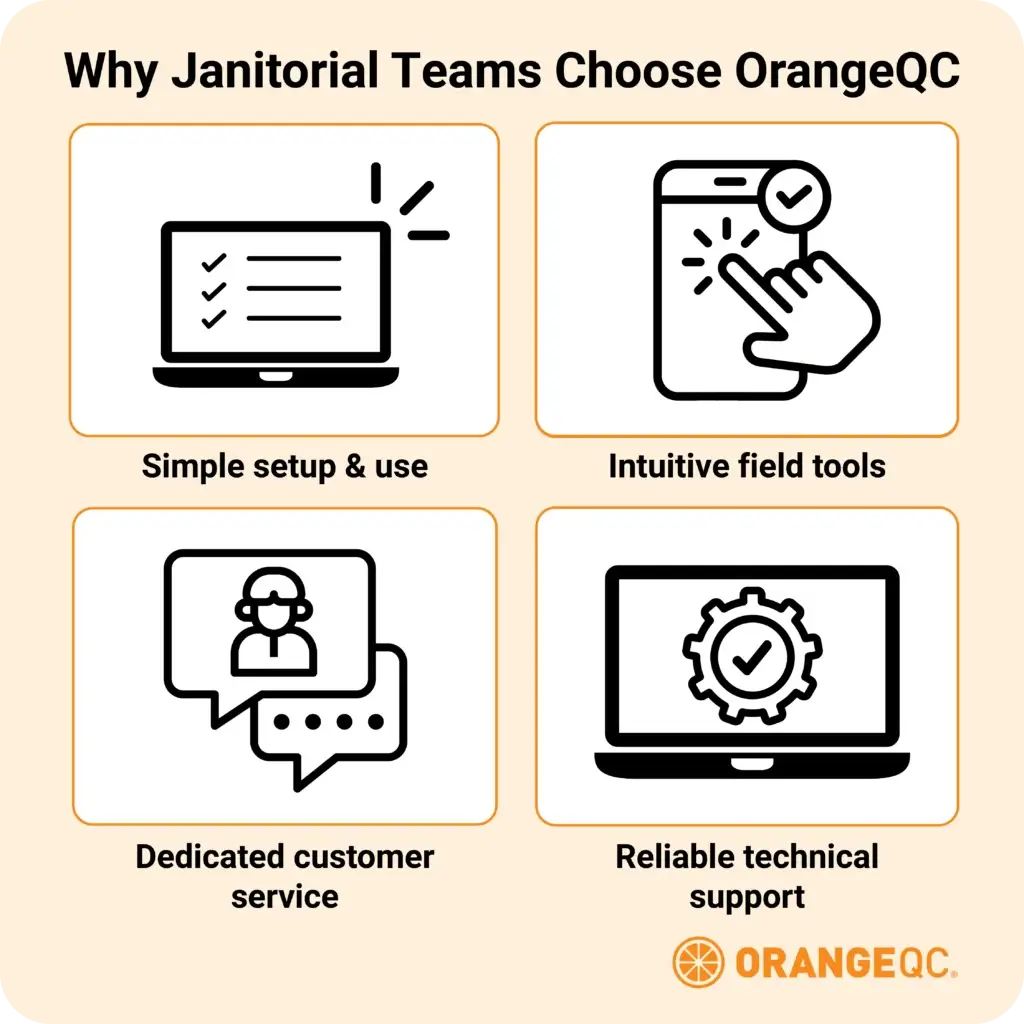
When we talk with teams who have chosen OrangeQC, we hear a few consistent themes:

  • OrangeQC is easy to set up and use.
  • Customer service at OrangeQC is included for all accounts, with no additional fees for setup help.
  • Team members find OrangeQC’s tools easy to use in the field.
  • Technical support for OrangeQC is excellent, with tools that work reliably and fast help when there’s a problem.

Which software fits your operations?

If OrangeQC ends up being a good fit for your team, that’s great, and we look forward to working with you. Ultimately, however, the best choice comes down to which tools serve your operations most effectively.

No matter what software you’re looking at, here are a few tips on how to make the right choice:

  • Test the software as much as possible to make sure it works well for your team at all your locations, not just in a controlled demo.
  • Ask the vendor plenty of questions. Here are six questions any technology vendor should be able to answer for you.
  • Get recommendations from other teams that do similar work to yours.
  • Research software reviews. In addition to review aggregators, look at ratings on any mobile apps the company offers.
  • Check how often the software is updated and maintained. In addition to checking the website for an update log, you can also look on mobile app stores for update information.

Choose OrangeQC if…

Choose OrangeQC if the most important things to your team are ease of use, time saved on setup, and reliable performance.

Experience refreshingly simple inspections. Try OrangeQC free

Trying out a new software tool with your team is the best way to make sure it’s a good fit. We offer a free 30-day trial of OrangeQC that includes unlimited access.

Our trial doesn’t require any payment information. You always own the data you create and collect within OrangeQC and can export it to other tools at any time. If you decide to purchase OrangeQC, all the data in your account will automatically roll over.

FAQs

How does OrangeQC’s setup compare to Smart Inspect’s?

We find that most teams can finish setting up their OrangeQC account and get the entire program up and running well within the 30 days of our free trial window. We’re available for help along the way and are happy to meet with you or your team; we don’t charge additional support fees.

Can I migrate my templates, checklists, and inspection data from Smart Inspect to OrangeQC?

Most teams find it easy to recreate the structure of their templates and checklists through our regular site setup process. If you have a large number of locations that you service, you can do a spreadsheet-based import into OrangeQC.

How will switching from Smart Inspect to OrangeQC improve my daily operations?

Our focus is on offering powerful tools that are easy to use every day. Our guiding principle is “if this isn’t easy to use, no one will use it.” If you’re struggling to get your team to perform quality control, it might be worth considering a switch.

More resources

Universities

Custodial inspection software for universities Our higher education facilities management app helps improve quality everywhere on campus, from classrooms and flagship buildings to housing, dining, and grounds. Start 30-day FREE trial Request a demo Powering inspections and quality quality control at top-notch universities  OrangeQC is helping write the book on

Read More »

K12 School Inspection Software

Custodial inspection software for K-12 districts and private schools Top school facilities use OrangeQC to ensure classroom readiness, cleanliness, and safety Start 30-day FREE trial Request a demo Over 10 million inspections performed by school and custodial teams OrangeQC is helping write the book on custodial operations for K-12 school

Read More »

Facility Management Inspection Software

Facility management inspection software and app Simplify your inspections with digital checklists and tracking Start 30-day FREE trial Request a demo Keep your facility quality control process running smoothly There’s a lot on your plate already. Add inspecting common areas, checking security systems, managing regular building maintenance, and dealing with

Read More »

Building Service Contractors

Inspection software for building service contractors Track facility quality, validate your team’s service, and delight your customers Start 30-day FREE trial Schedule a demo Trusted with 10 million inspections for BSCs Digital quality control is an industry best practice, and a cornerstone of CIMS certification. Unlike all-in-one apps that bundle

Read More »